Download the kv888 App to Your Phone
The Android version of the kv888 App is lightweight, opens fast and keeps you logged in between sessions. You download the kv888.apk file straight from this page, not through an app store. iPhone users can still play fine by adding the site to the home screen — the guide is just below.
18+ · Play responsibly · Live chat support 24/7 in Vietnamese.

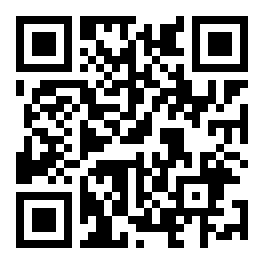
Scan the QR code If your camera can't read the code, type in the kv888 App download page directly.
Install the APK on Android and Add an Icon on iPhone
The whole process takes about 3 minutes. Use Wi-Fi for the first download and keep at least 200 MB free on your phone.
A layout of the kv888 App interface, not a real screenshot.
Why install the APK instead of opening the browser every time
- Faster access: the icon sits right on your home screen — no need to retype the address or wait for the page to reload from scratch.
- Result alerts: get notified when your football bet settles or when a new promotion is available for your account.
- Plays fine on a weak connection: the app holds your session better when 3G is spotty, so you won't get dropped mid-spin on a slot game.
- In-app updates: you'll see a prompt as soon as a new version is ready — no need to uninstall and reinstall from scratch.
Install on Android
-
1
Allow unknown sources
Go to Settings → Security → then enable the option to install apps from outside the CH Play store. On Android 8 and above, you turn this on separately for the browser or file manager you are using.
-
2
Download kv888.apk
Tap the Download APK button above and wait for the progress bar to finish. The file is 45 MB — on a normal 4G connection it usually takes under 30 seconds; a weak Wi-Fi signal may take a bit longer.
-
3
Open the file and install
Pull down the notification bar and tap kv888.apk once it is downloaded. When the phone asks for install permission, tap Install. If it is blocked, go back to step 1 and check the unknown sources setting.
-
4
Log in to your account
Open the app, enter the phone number and password you registered with. If you do not have an account yet, use the register button on the opening screen — it only takes about a minute.
-
5
Deposit and verify
Go to your wallet, choose MoMo, ZaloPay, VNPay, or bank transfer and deposit a minimum of 110,000 ₫. Funds usually arrive within 4 minutes; if it has been more than 10 minutes, open live chat and send your transaction reference.
Add to Home Screen on iPhone
- Open the kv888 site in Safari — do not use any other browser.
- Tap the Share icon at the bottom of the screen.
- Select 'Add to Home Screen', give it a short name, then tap Add.
- The icon will appear just like a regular app — tap it to launch instantly.
If you have installed the app but forgotten your password, check the login page for steps to recover access. If you would like to browse the table games before installing, visit the online casino section.
kv888 App Specifications
Check the details below before downloading to make sure your device meets the requirements.
| Specification | Value |
|---|---|
| Version | 2.6.9 |
| File size | 45 MB |
| Minimum Android | 8.0 |
| Last updated | 21/11/2026 |
| Cost | Free |
| Language | Vietnamese, English |
| Minimum deposit | 110.000 ₫ |
| Minimum withdrawal | 160.000 ₫ |
Android version, downloaded directly from our server.
After installing, open Settings in the app and check that the version number matches the table on the right. If it does not match, you are on an older build and should download the latest version.
App Permissions and Safe Play
kv888 App only requests permissions needed for login, deposits, withdrawals, and notifications. You can turn off each permission anytime in your phone's settings.
Network Access
Used to load game data and maintain a connection to the server while you play. Without internet, the app only shows a loading screen and does not run in the background.
Notifications
Sends alerts for bet results, new promotions, or completed deposit and withdrawal transactions. You can turn this off directly in the app without affecting your gameplay.
Device Storage
Only used to save the installation file and game image cache. The app does not read your photos, messages, or contacts.
Biometrics
If you enable fingerprint or face recognition login, your biometric data is managed by your device's operating system — we do not store any copy on our servers.
- Only download the APK from this page. Do not accept APK files sent via Zalo or group chats — they may be repackaged with malware.
- Set a unique password for your gaming account. Do not reuse your banking or social media passwords.
- After installation, delete the APK file from your Downloads folder to free up storage and avoid accidentally reinstalling an old version.
When to Use the App vs. When to Use a Browser
Both options share the same account and balance. The difference comes down to load speed, notifications, and storage space.
| Feature | kv888 App (APK) | Website via Browser |
|---|---|---|
| Load Speed | Tap the icon and go straight to the lobby — usually under 3 seconds on a stable connection | Need to open a browser, type the address or select a bookmark, then wait for the page to load |
| Notifications | Push notifications for bet results and promotions | None — you have to open the site yourself to check |
| Storage | Takes up 45 MB on your device | No storage used — only browser cache |
| Updates | Re-download the file when a new version is available; your account data stays intact | Automatic — always the latest version |
| Weak Connection | Holds the session better, less likely to drop mid-game | More prone to disconnection and may require logging in again |
| Multiple Devices | Install on your personal phone — handy when you're out and about | Works on desktop, tablet, or a friend's device |
If you often bet on football in the evening and need instant result alerts, the installed app is the practical choice. When you're at a home computer or work PC, opening the website is more straightforward.
What's Available to Play in the kv888 App
All 1,400+ games from JDB, Playtech, FA Chai, CQ9, and Spribe are available right in the app — no need to switch to another site.
Slots & Spinners
The largest category in the app, featuring Mahjong Ways, Gates of Olympus 1000, Wild Fireworks, and many Vietnam-localized titles. Bets start from 1,000 ₫, so your first few spins won't hurt your wallet.
Live Casino
Live-streamed tables with real dealers — play Baccarat, Sicbo, and Vietnamese card games. Check the bet limits on the casino page before joining a table.
Crash Games
Aviator-style games and speed variants where you cash out before the multiplier crashes. Rounds are short — perfect for waiting for a ride or taking a quick break between shifts.
Tai Xiu & Xoc Dia
Classic Vietnamese dice games that feel right at home for local players — results appear instantly on the app screen. Place your bet in seconds without switching tabs.
Football Betting
Follow V-League, the English Premier League, and the UEFA Champions League with continuously updated odds. Push notifications alert you to line movements so you can place your bet before kick-off.
Fish Shooting
Fish Hunter plus shooting tables with multiple rooms and different bullet levels. It runs on 3G too, and graphics scale down automatically to keep the firing speed steady.


Common Install Errors and How to Fix Them
Most problems come down to install permissions or phone storage. The table below is ordered the way you should check things.
| What you see | Usual cause | What to do |
|---|---|---|
| “App not installed” error | The phone blocks installs from outside sources, or the package file got corrupted during a dropped download | Turn the unknown sources permission back on, then delete the old file and download kv888.apk once more over a stable Wi-Fi connection |
| “Invalid package” error | You downloaded the iOS version by mistake, or the file was renamed | Use only the Download APK button on this page, and check the file name is exactly kv888.apk at 45 MB |
| Not enough storage | Free space is below what the unpacking process needs | Clear old photos and apps you don't use, then leave at least 200 MB free before installing again |
| The app closes the moment you open it | Android is older than 8.0, or system service updates are missing | Update Android in your phone settings; if the phone can't reach 8.0, use the website instead |
| Login keeps failing | Wrong password, network blocking the port, or an old session still hanging | Recheck your password, switch to 4G, then clear the app data and log in again |
If you've done all five steps and it still fails, open live chat and send your phone model, Android version and a screenshot of the error message. Our Vietnamese-speaking support team is on hand 24/7 to check it for you.
Quick Questions About the Phone Install
Is the kv888 APK file safe?
Is there a cost or any hidden fee to install the APK?
Is there an iPhone version?
How do I update to the new version?
Once the app is installed, how do I log in if I don't have an account yet?
Does the app work on Android tablets?
Will uninstalling the app lose my account?
Download and Take a Seat Today
The kv888 App is lightweight, gets you into the lobby in seconds and holds your session steady when the connection drops. Once installed, one account unlocks the whole catalogue — jackpots, live casino and football betting.